Updating User Permissions#
Step 1: Go to the configuration sidebar, select the Data Workbench menu and then choose the Data Governance option.
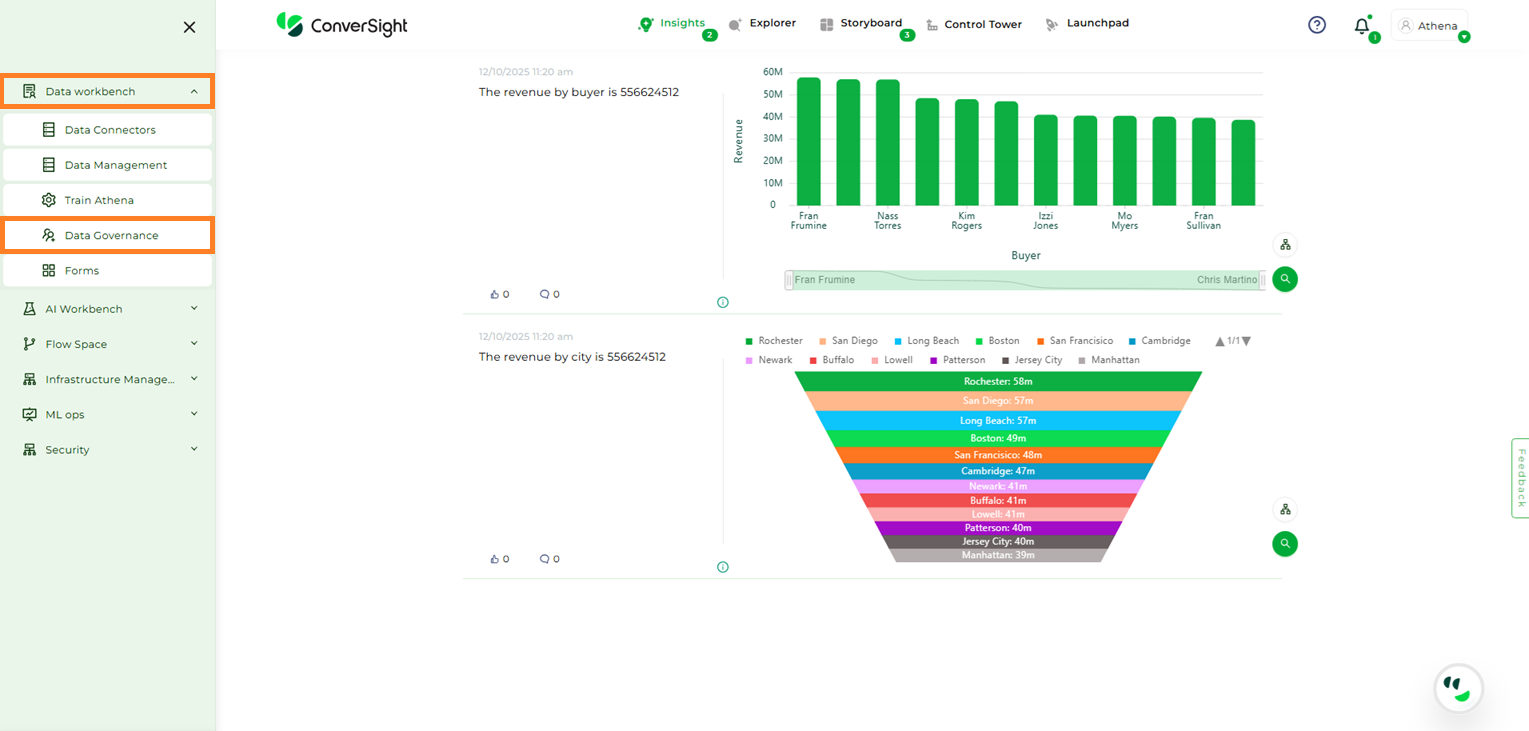
Data Governance#
Step 2: Locate the user whose permissions you want to modify, then click the corresponding Edit icon.
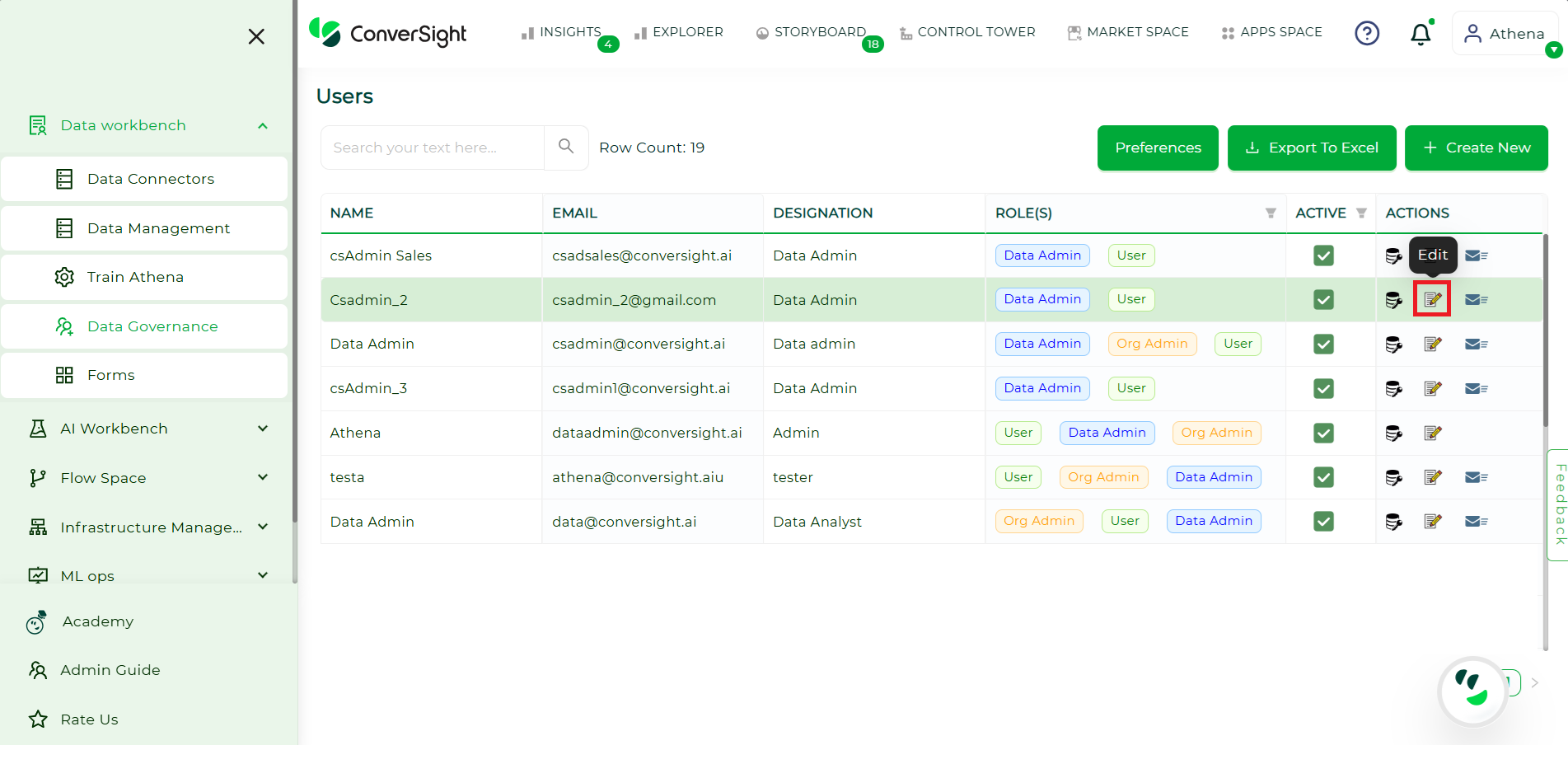
Modifying User Permissions#
Step 3: On the Update User page, make the required changes and click the Update button to save them.
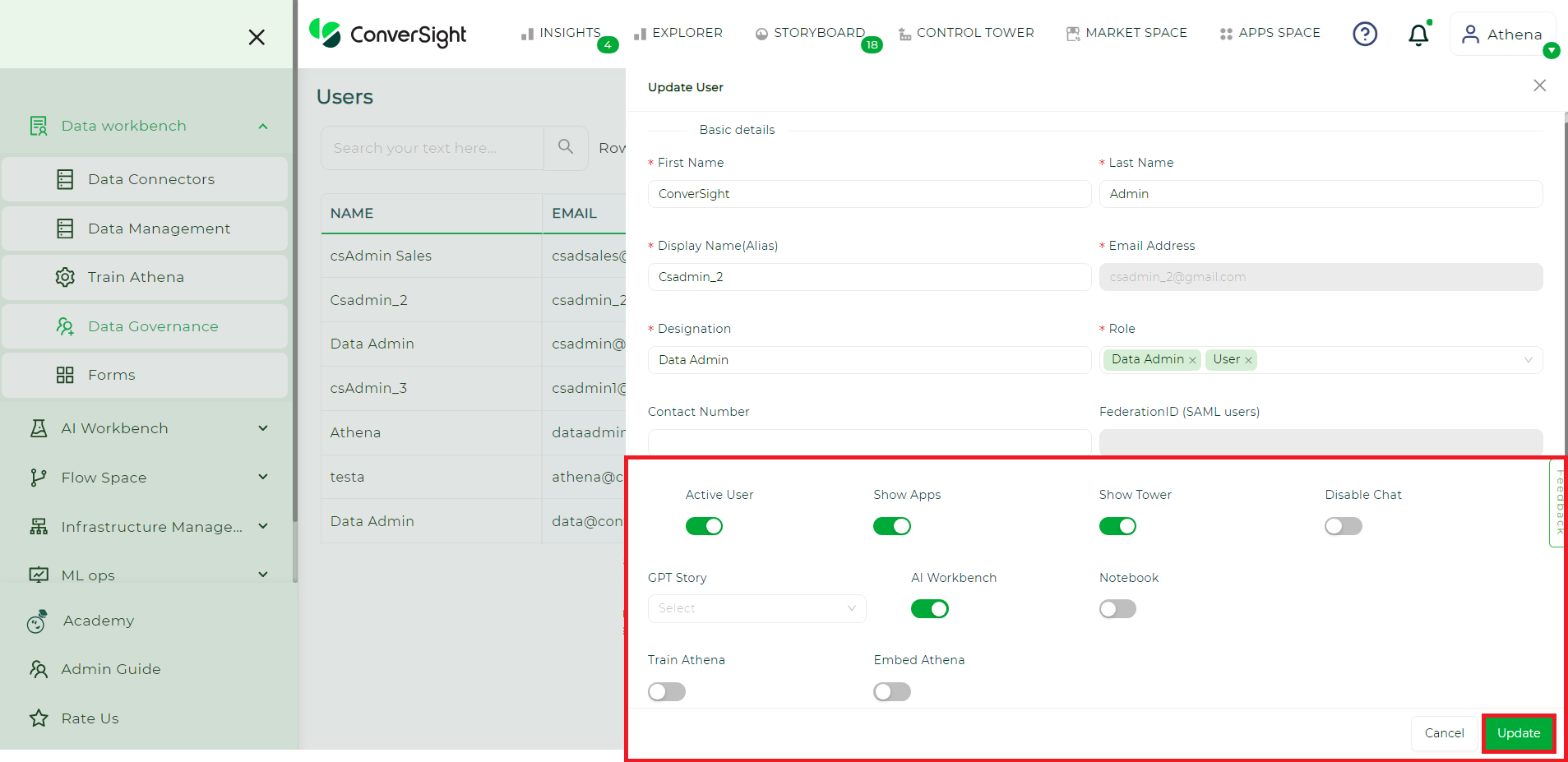
Updating User Permissions#
Step 4: After clicking the Update button, a notification reading ‘User details successfully updated’ will appear.
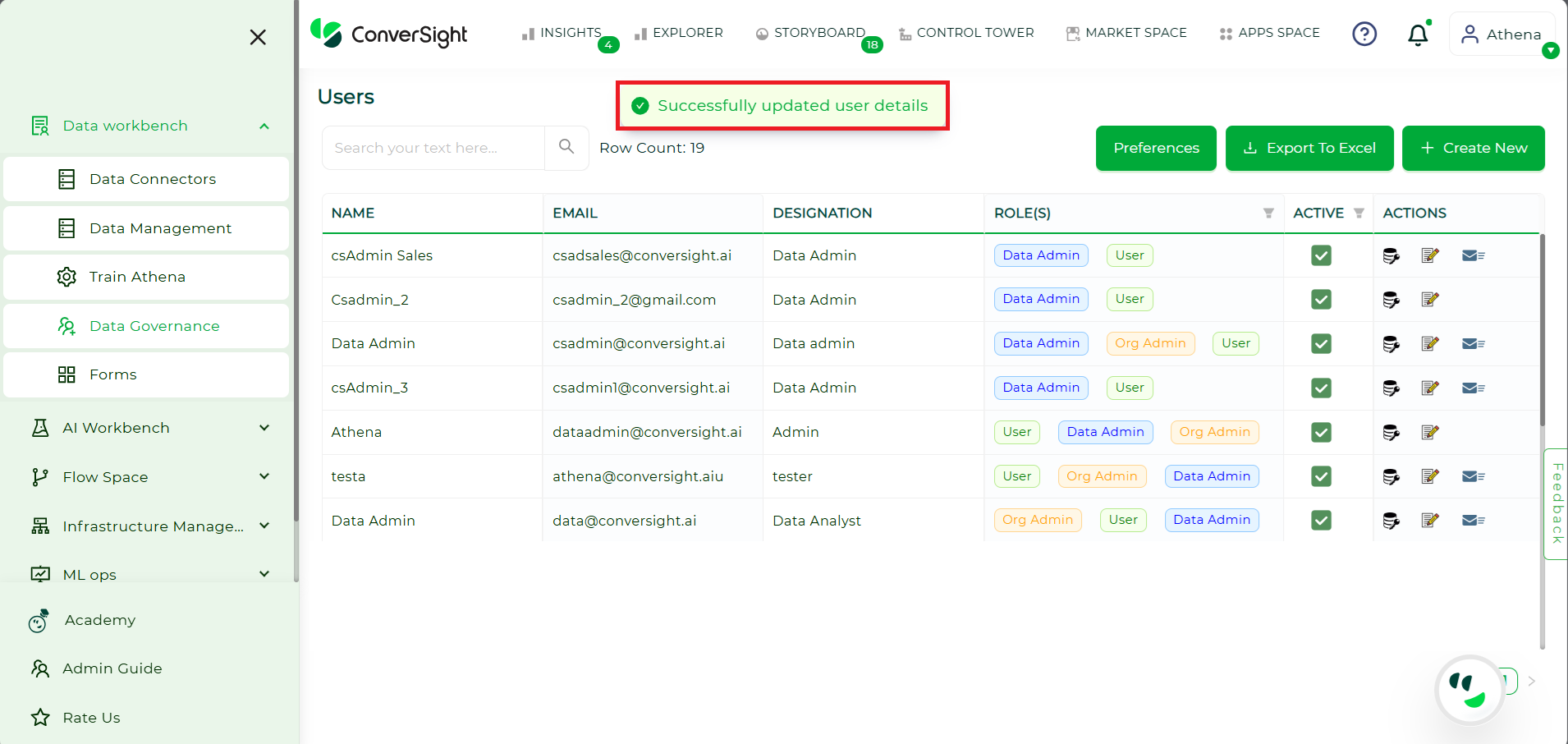
Updating User Permissions#